
Take the plunge by The artist (formerly) known as Gene
Shot with a Canon EOS 30D at 1/250th of second.
Last week, I touched on using motion blur to give a sense of speed and movement in a photo. This week, we’re going to look at some examples where no motion blur (or very little) is present; however, these images still manage to effectively convey a sense of motion.
In each image, there is some element that helps convey motion. In some images, it may be the primary subject that should be moving. In others, it may be an element surrounding the subject – such as water. By freezing what should be moving, these images give your mind a moment that you know and can sense requires motion.
Depending on the subject and its speed, the corresponding shutter speed may need to be slower or faster. The photographers of these images used a wide range of shutter speeds to stop the motion. From 1/30th of second (rather slow) to freeze a falling leaf, to 1/1000th of a second to freeze a wake boarder in mid-air along with the spectacular water trail that follows him, these images cover the spectrum.
I have listed the camera model and shutter speed for each of the images in order to give you a taste of the setup. You can see additional EXIF data by clicking on the image titles and selecting the “More properties” link on the right side of the photo’s flickr page.
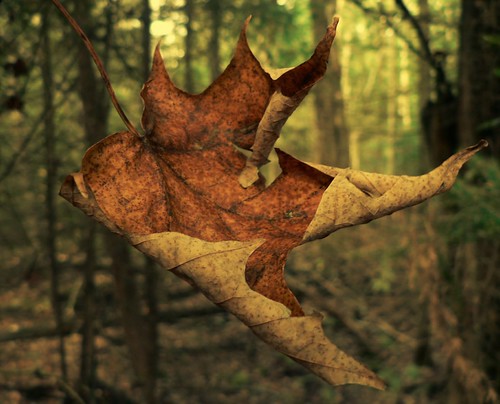
Falling with grace by Memotions
Shot with a Panasonic FZ5 at 1/30th of a second.

Shot with a Nikon D300 at 1/320th of a second.
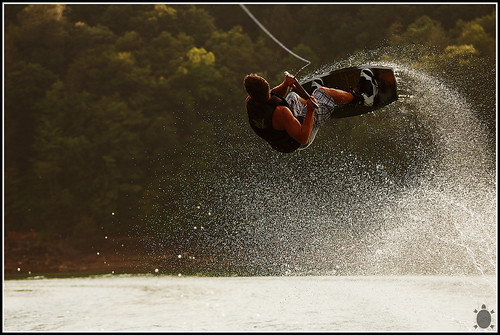
Shot with a Nikon D50 at 1/1000th of a second.
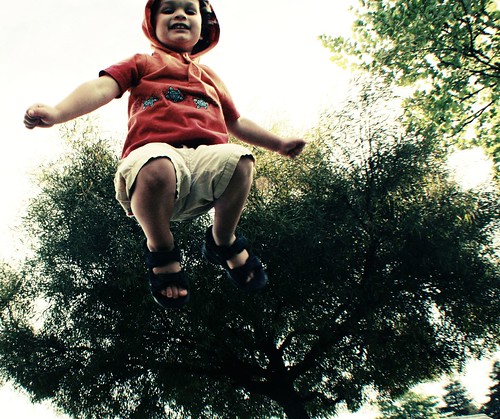
floating by Divine in the Daily
Shot with a Canon Rebel XTi at 1/500th of a second.
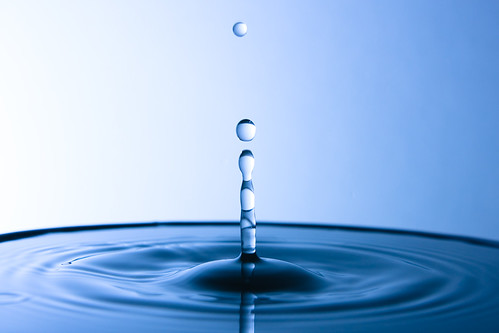
Freeze Water (ver. 1) by Kvasov Andrey
Shot with a Canon EOS 40D at 1/320th of a second.

day145/i wonder what lacoste would think… by the half-blood prince
Shot with a Nikon D50 at 1/1600th of a second.
Your Turn to Share
Share your images with the rest of us. Do you have any examples of freezing the action or using motion blur to convey a sense of movement or speed?
Post them in the forum or give us a link (or your tips) in the comments below.


Shoot, Shoot, Shoot. That’s the beauty of digital you can just delete what you don’t want.
That’s a great post! Thank you Eric! Keep’em coming!!!
it is always fun to “freez” action
http://www.flickr.com/photos/shoken/2786318689/in/set-72157605732371204/
http://www.flickr.com/photos/shoken/3018651289/